
The short version
A useful starting point
Consider Buffer for a small publishing queue with channel-specific versions. Update each scheduled version when a date, offer or destination changes.
A good fit if…
A small publishing queue with channel-specific versions.
Look elsewhere if…
You need a workflow or destination format that the chosen connection does not support.
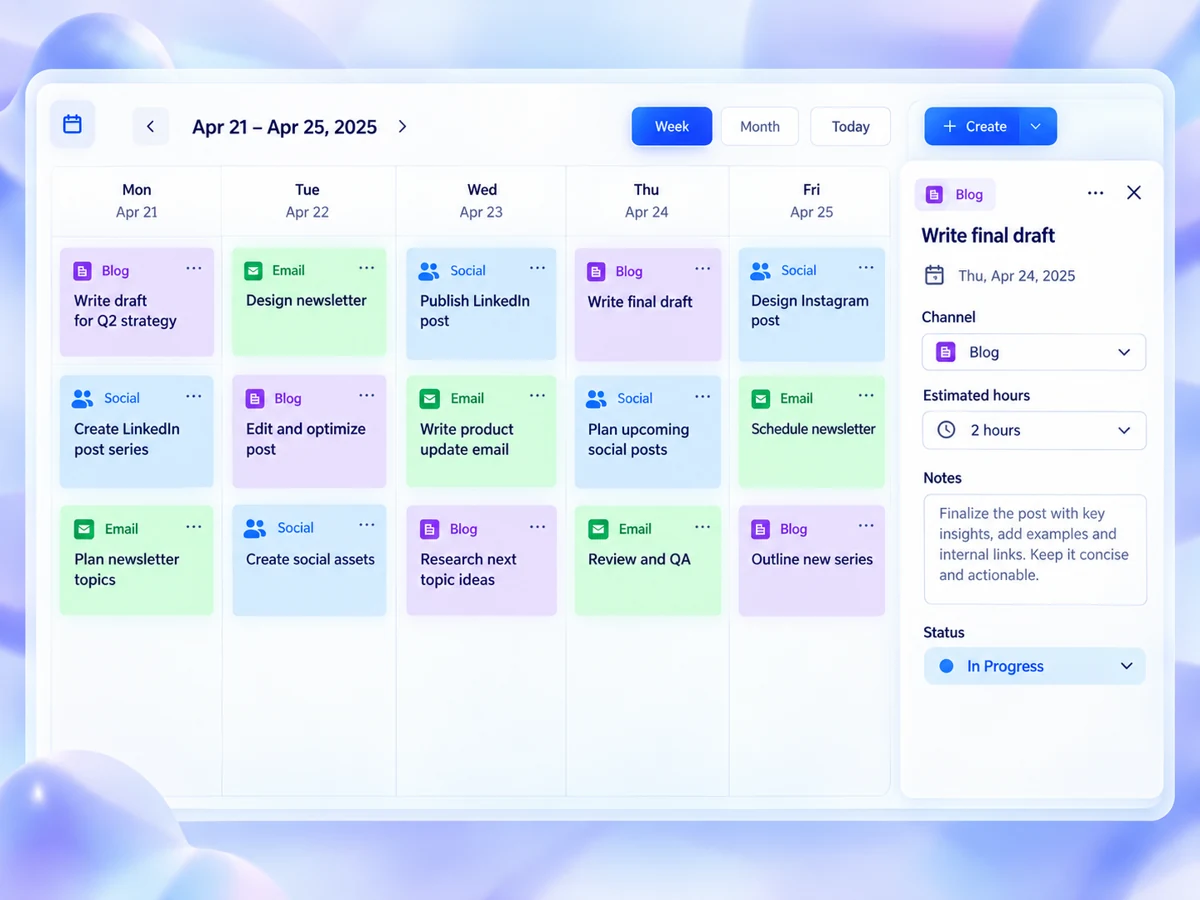
Buffer uses queues and a calendar to schedule posts. A composer can tailor captions, links and timing for each channel; after scheduling, those channel versions can be edited or rescheduled independently. This makes it a candidate for a small publishing queue with channel-specific versions. The sections below connect those features with a task you can try using your own material.
The useful job: organise timing without flattening the message
Confirm your post formats, connected channels and any approval requirement. Update each scheduled version when a date, offer or destination changes. It may not be the right purchase if you need a workflow or destination format that the chosen connection does not support.
For a solo creator or small business, the benefit in everyday use to look for is reduced coordination work, not simply more scheduled content. If you still need a separate note to remember which version belongs where, investigate whether your process or the tool’s fit is causing the confusion. Equally, do not assume a publishing calendar replaces decisions about relevance, wording or whether a post should run at all.
Example: turn one workshop announcement into a small batch
As a hypothetical example, a consultant might prepare an announcement, a useful tip and a reminder for an upcoming workshop, adapting each for two social channels. That creates six versions to review, but only three underlying messages. Before scheduling, write down the purpose of each message and the action you want a reader to take. This gives you a stable reference when changing the wording for different destinations.
Use channel-specific editing to assess each version independently rather than treating the second channel as a duplicate destination. A concise reminder may need different context from an explanatory tip. Check that the opening makes sense on its own, that any date or link is correct, and that the intended format is supported for that destination. These are proposed editorial checks, not claims about automated checks within Buffer.
Setup effort depends on your real publishing mix
The published product details do not establish setup time, connection requirements or plan entitlements. Treat those as questions to resolve before committing. Make a short inventory of the channels and formats you actually use, then check them against the product information relevant to each destination. Because direct publishing depends on the network, do not assume that support for one destination or format establishes the same workflow for another.
For the trial, choose one ordinary publishing period and a batch small enough to inspect completely. Note the steps required to prepare, adapt, schedule and confirm each post. The point is not to chase an arbitrary speed target. It is to discover whether the process is understandable and repeatable, including any steps that remain outside the scheduling tool.
Review the output—and budget for maintenance
Assess the batch at two levels. First, inspect individual versions for meaning, destination and format. Then inspect the overall schedule for awkward clustering or gaps in your intended sequence. A tidy calendar is not evidence that the messages are useful. Conversely, strong individual posts can still form a confusing sequence if a reminder appears before the announcement that explains it.
Scheduling also leaves an ongoing editorial responsibility. If a workshop date changes, revisit every affected version rather than assuming one correction covers the batch. Decide who will review scheduled material before it runs and who will confirm publication afterwards. This is especially important when your destinations have different publishing conditions. The available product documentation does not establish a universal, unattended workflow.
Decide on workflow fit, not scheduling volume
Continue evaluating Buffer if the trial keeps channel versions organised and makes the next publishing steps easy to understand. Reconsider if your essential formats require a workflow you cannot maintain, or if adapting a batch creates more review work than it saves. Confirm your post formats, connected channels and any approval requirement. The strongest reason to proceed is a repeatable process for your actual posts, not a larger queue.
Strengths
- Prepare a batch, adapt each version and place it in the queue.
- Buffer uses queues and a calendar to schedule posts.
Limitations
- Update each scheduled version when a date, offer or destination changes.
- Confirm your post formats, connected channels and any approval requirement.